Top Troubleshooting Tips for Common Thermostat Issues
If your thermostat is not working, the fix is usually simple: check the power source, replace the batteries, and confirm the mode setting before anything else. Most thermostat problems trace back to power, wiring, or calibration, and you can resolve many of them yourself in minutes. Watson Heating & Air has helped Central KY homeowners keep their systems responsive since 2011, and we will show you what to check first.
Key Points
- Start with the basics: circuit breaker, batteries, and mode setting.
- Loose or corroded wiring and a miscalibrated temperature reading are common culprits.
- Location matters; drafts, sunlight, and heat sources cause false readings.
- Cleaning the unit and updating its software can restore accurate performance.
- If troubleshooting does not fix it, a licensed technician can diagnose deeper electrical faults.
How Do You Check the Thermostat's Power Source?
Start by confirming your thermostat is receiving power. Locate your home's electrical panel, find the breaker linked to your HVAC system, and verify it is in the on position. If it is tripped, reset it and see if the thermostat powers up. Next, remove the cover and check that each wire is firmly attached to its terminal, tightening any loose screws carefully. A stable power supply is the first step in troubleshooting effectively.
When Should You Replace the Batteries?
If your thermostat still is not working after you confirm power, the batteries are the next thing to check. Remove the cover, find the battery compartment, and install the correct battery type (often AA or AAA) in the right orientation. Reattach the cover and adjust the temperature to test it. Regularly replacing batteries keeps the thermostat running reliably.
How Do You Inspect the Wiring?
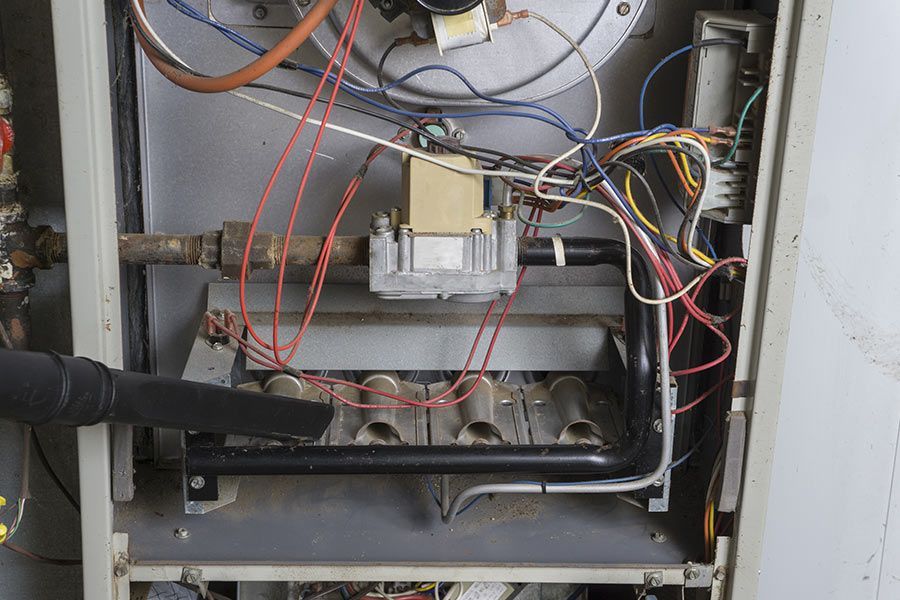
Turn off power to the thermostat, remove the cover, and check that all wires are secure and free from damage or corrosion. Use a flashlight to look for fraying or discoloration. Tighten loose connections and replace any damaged wires immediately. Always check your thermostat's manual for wiring specifications before you begin.
How Do You Reset the Thermostat?
Resetting often clears minor glitches. Locate the reset button on the device face or in the menu settings, then press and hold for 5 to 10 seconds, or follow your manual's instructions. This usually restores factory settings. Afterward, reprogram your date, time, and temperature preferences so the thermostat matches your needs.
How Do You Calibrate Temperature Settings?
Once the thermostat is reset and powered, calibrate it for accurate readings. Use a reliable thermometer to measure the room's actual temperature and compare it to the display. If they differ, follow your manual to adjust the settings menu on digital models or the calibration screw on mechanical ones. Recheck after each change, and recalibrate about twice a year.
How Do You Verify the Mode Setting?
Make sure your thermostat is set to the correct mode: heat, cool, or auto. Check the display for the mode indicator, and confirm it matches the season. In summer, switch it to cool; in winter, set it to heat. Auto mode toggles between the two as needed. A quick mode check prevents wasted energy and keeps you comfortable.
How Do You Clean the Thermostat?
Turn off power first, then wipe the outer casing with a soft, dry cloth. For a deeper clean, detach the cover and use a small, soft brush to clear dust from sensors and contacts. Avoid liquids or sprays, which can damage the electronics. Check for loose wires or corrosion, then reassemble and restore power.
When Should You Update the Thermostat Software?
Once the unit is clean, make sure it is running the latest firmware. Check the manufacturer's website or app for updates, then follow these steps:
- Download and install: Access the latest software through the app or device and follow the instructions.
- Verify installation: Confirm the update worked by checking the version number against the manufacturer's site.
- Test functionality: Make sure the thermostat responds accurately to settings and schedules.
Does Thermostat Location Affect Performance?
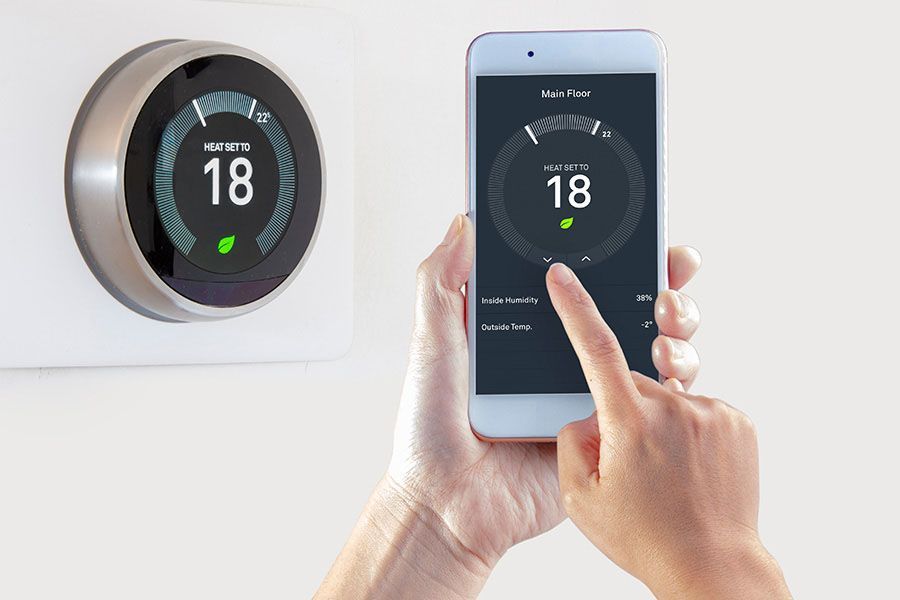
Yes. A thermostat exposed to drafts, direct sunlight, or heat sources reads temperature inaccurately, which causes inefficient heating and cooling. Place it on an interior wall in the room you use most, away from hallways, kitchens, doors, and windows. Keep the area around it clear of furniture. Correct placement improves comfort and lowers energy costs. For guidance on efficient settings, the U.S. Department of Energy offers helpful recommendations. If your thermostat is aging, our team can help with professional thermostat replacement.
When Should You Call a Professional?
If troubleshooting does not resolve the issue, it is time to call a professional technician who can diagnose more complex problems safely. Here is why professional help matters:
- Safety assurance: Electrical components can be dangerous, and professionals have the skills to manage the risk.
- Precision diagnostics: Technicians use advanced tools to find issues you cannot see, saving time and preventing further damage.
- Long-term reliability: Fixing the root cause keeps the thermostat working without recurring problems.
A misbehaving thermostat often points to a larger system issue. If yours keeps acting up, our team also handles expert furnace repair and same-day AC repair across Central KY. When you need a hand, contact our team today for service with upfront pricing.
Frequently Asked Questions
Why is my thermostat screen blank?
A blank screen almost always comes down to power. Check that the batteries are fresh and installed correctly, and confirm the breaker tied to your HVAC system has not tripped. If both check out and the screen stays blank, the wiring or the thermostat itself may need professional attention.
Why is my thermostat not matching the room temperature?
This usually means the thermostat is out of calibration or placed in a bad spot. Compare its reading to a reliable thermometer and recalibrate if they differ. If it sits near a window, vent, or heat source, relocating it to an interior wall often solves the problem.
Should I repair or replace my thermostat?
If basic troubleshooting restores accurate performance, a repair is enough. But an aging thermostat with recurring issues is often worth replacing, especially with a programmable or smart model that improves efficiency. Our team can help you weigh the options.
Why does my thermostat make clicking sounds?
Clicking is usually a relay issue or loose wiring. Turn off power and check that the connections are secure. If the clicking continues, have a technician confirm the relay is working correctly before it affects your comfort.